Text to image
Describe the frame in up to 3,000 characters — lens, light, mood, wardrobe. Lensie returns four variations you can lock, remix or upscale.
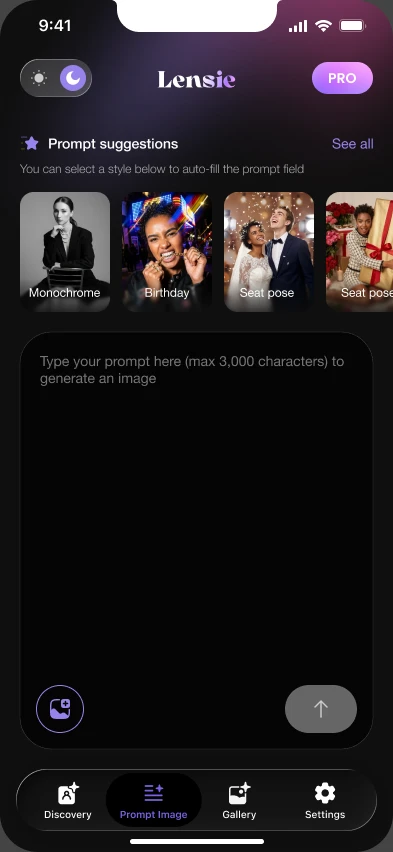
Lensie turns plain text into studio-grade portraits and short cinematic clips — rendered on your iPhone in about twelve seconds. No lighting rig. No crew. No booking fee.
Two engines, one canvas. Write a prompt for stills, then push the same frame into motion without leaving the app.
Describe the frame in up to 3,000 characters — lens, light, mood, wardrobe. Lensie returns four variations you can lock, remix or upscale.
Turn any still into a 5-second clip with real camera motion — dolly, orbit, push-in — at 30fps.
Train once on a few selfies. Every render after that still reads as you, across every style.
Your uploads are never used for training and auto-delete after 30 days. Face models stay on-device.
Ship at print resolution with no watermark. Straight to Photos, Files or your camera roll album.
Tap a preset — the prompt writes itself and the grade lands on the frame. 120+ of these ship in the app, with new drops every week.
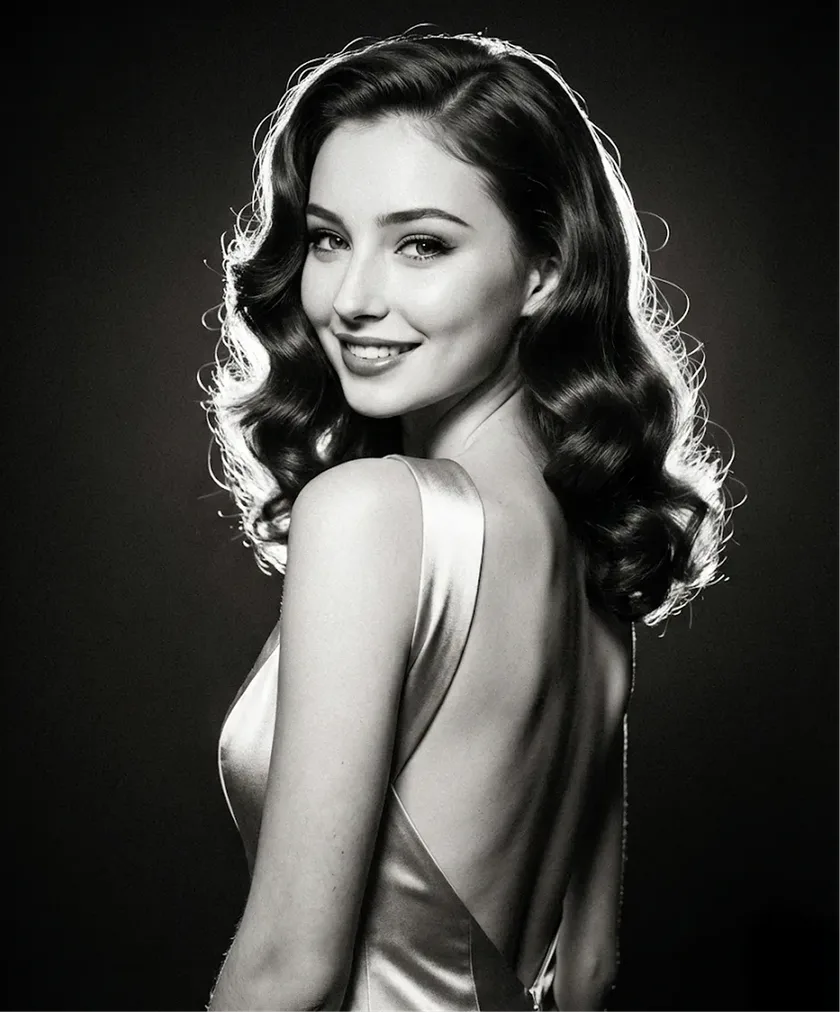
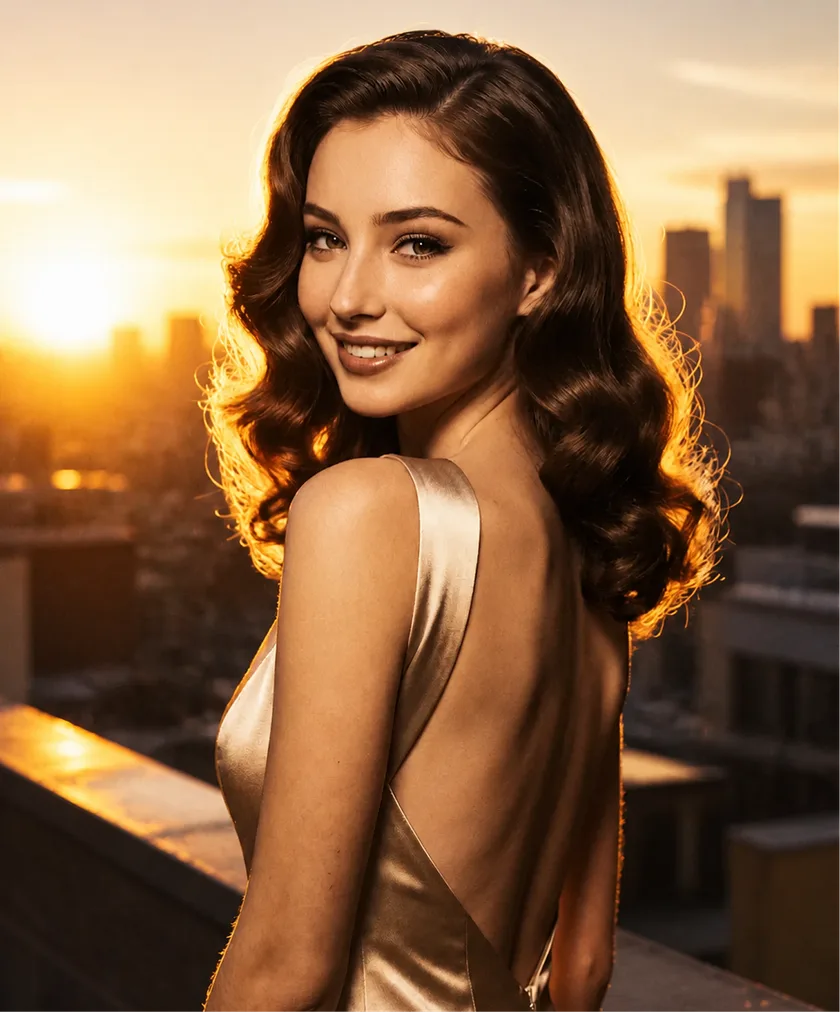
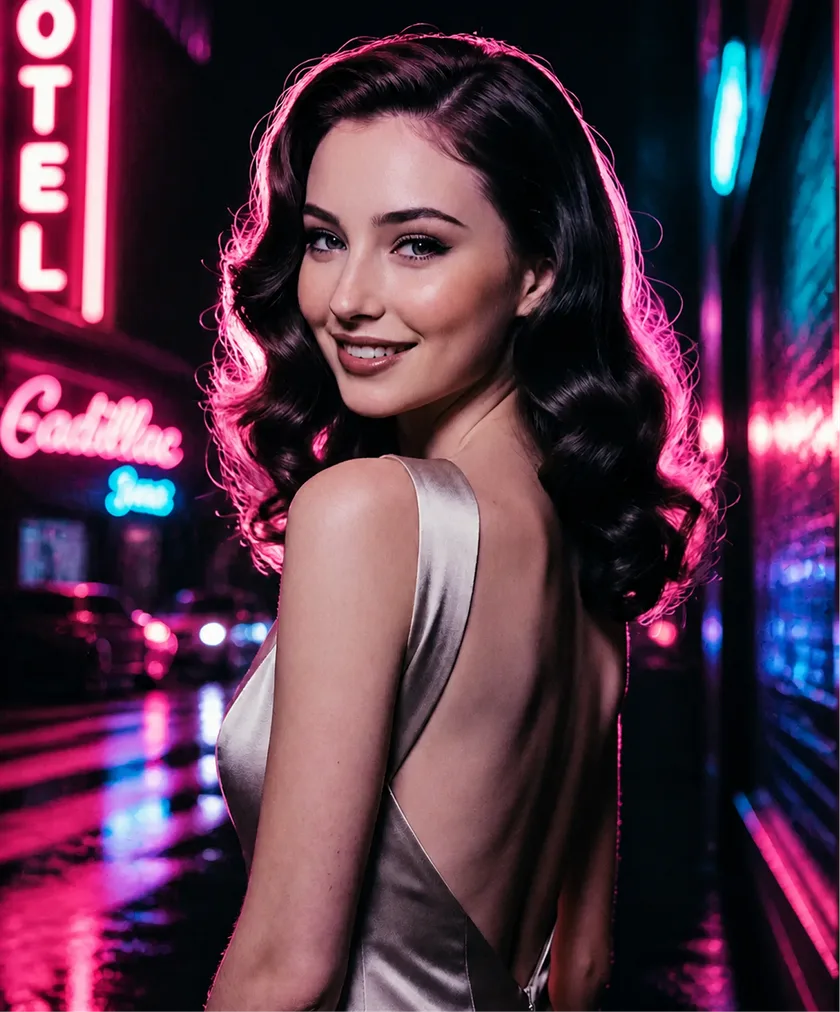
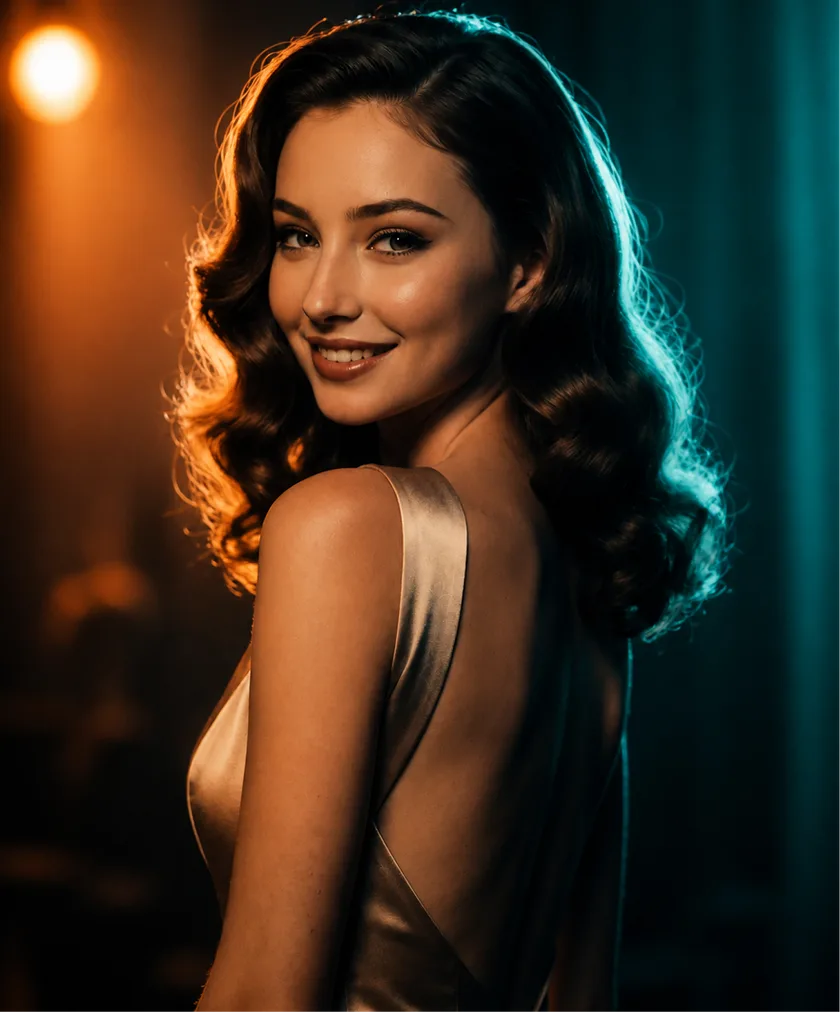
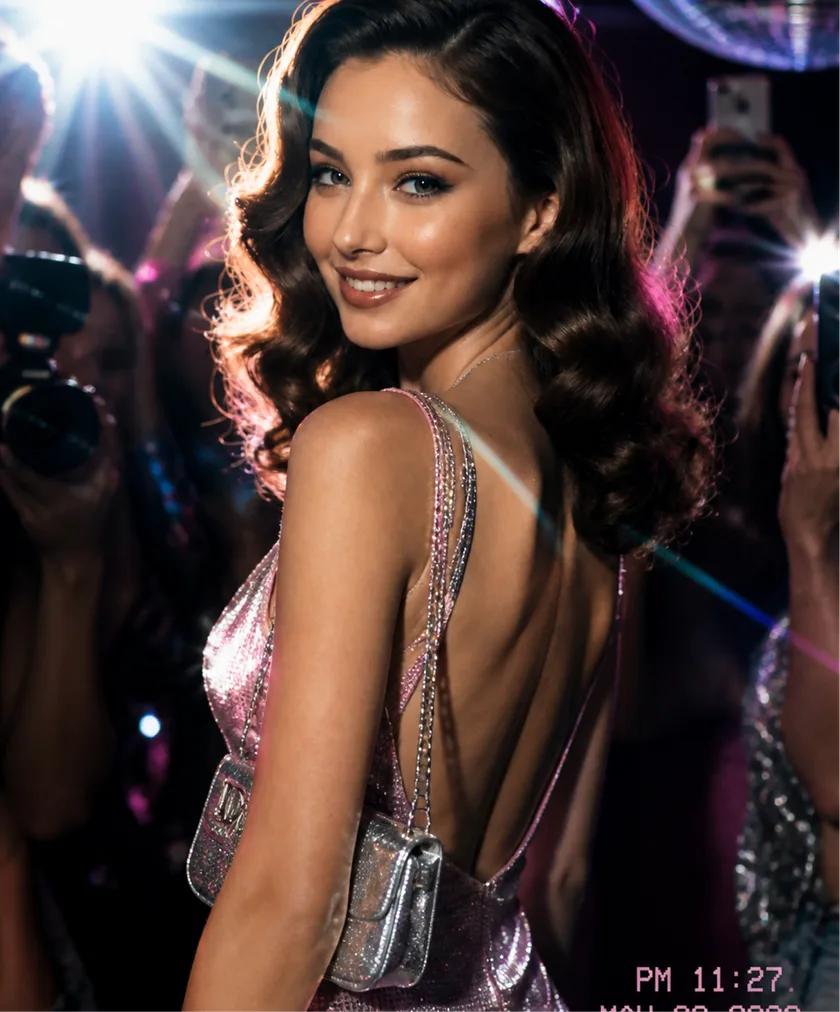
One face, one pose, five different worlds — every render above came from the same face model. That's the whole trick.
Scroll — the phone keeps up. The whole loop lives on one screen: no layers, no nodes, no seed wrangling.
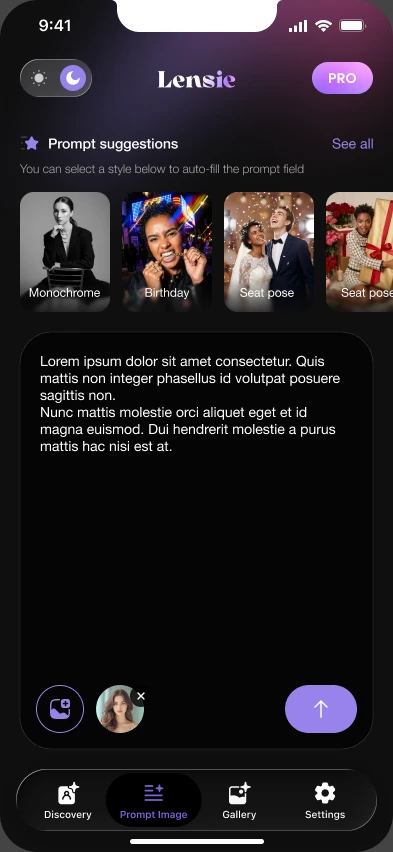
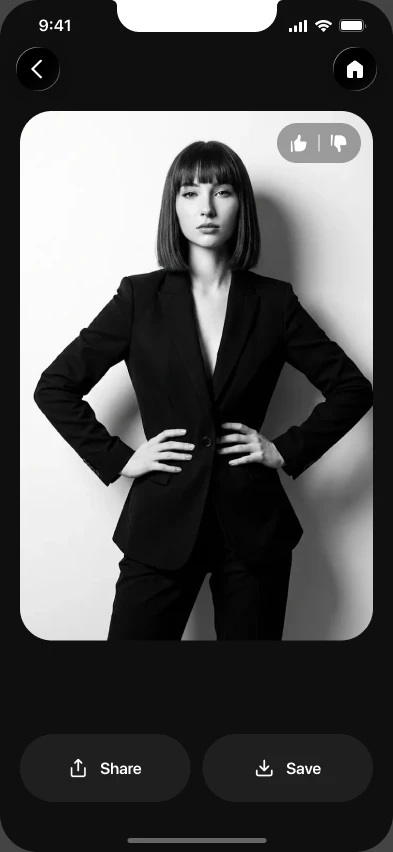
Start from a preset or a reference photo. Lensie auto-fills the prompt field with a full description — lens, light, wardrobe, grade — so you tweak words instead of dials.
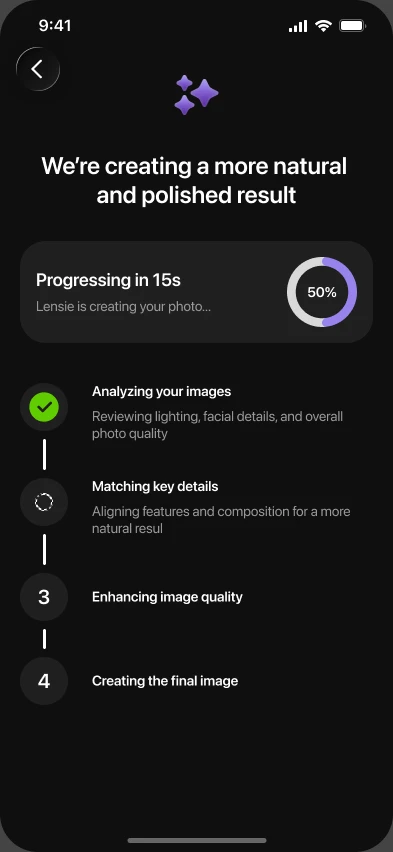
Watch each pass land — pose, skin detail, lighting, texture — with a live progress read instead of a spinner. If a pass looks wrong, stop and rewrite before spending the credit.
Export 4K straight to Photos, share to socials, or push the same frame into a 5-second clip with one more tap. No watermark on any paid plan.
Everything here was generated on an iPhone 15 Pro, straight from the presets shipping in the app today.
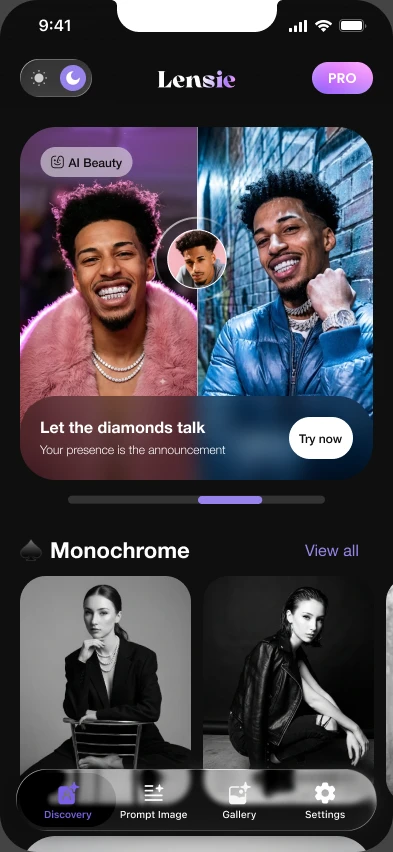
From the App Store, and from people who used to block out a day and a studio for this.
I run a two-person skincare brand and our launch shots used to cost a day of studio time. I typed what I wanted, picked monochrome, and had eleven usable frames before my coffee went cold. Two of them are on the packaging now.
The face stays the same across every style. That is the part I did not believe until I tried it on a set of forty.
I cast the same actor in four looks for a pitch deck on a Sunday night. The client thought we had booked a crew.
I expected the usual plastic AI face and nearly deleted it. The grain and the rim light are what changed my mind. It is the only one of these I still pay for.
No. Uploads and face models are used only to serve your own renders, are never fed into training sets, and auto-delete after 30 days. Face embeddings stay on your device unless you explicitly enable cloud sync.
Yes on any paid plan — you own the renders you create, including client and ad work. Free-tier output carries a watermark and is licensed for personal use only.
You keep Pro until the end of the period you already paid for, then drop to Free. Nothing gets deleted: your gallery, saved prompts and face models stay put, just with Free limits applied.
Not yet. Lensie leans on Apple's Neural Engine for on-device previews and face models. An Android build is on the roadmap for late 2026 — join the waitlist from the footer.
Free to start, 5 renders a day, no card required. Most people ship their first keeper within a minute of opening the app.